---
updatedAt: 2026-10-15T08:41:31.000Z
agentTools:
projectIndex: https://docs.ngenius-payments.com/llms.txt
---
# Share a Payment Link
Copy or share an existing Pay by Link payment link through messaging apps, social media or email from the Merchant Portal.
{`
`}
# Share a payment link
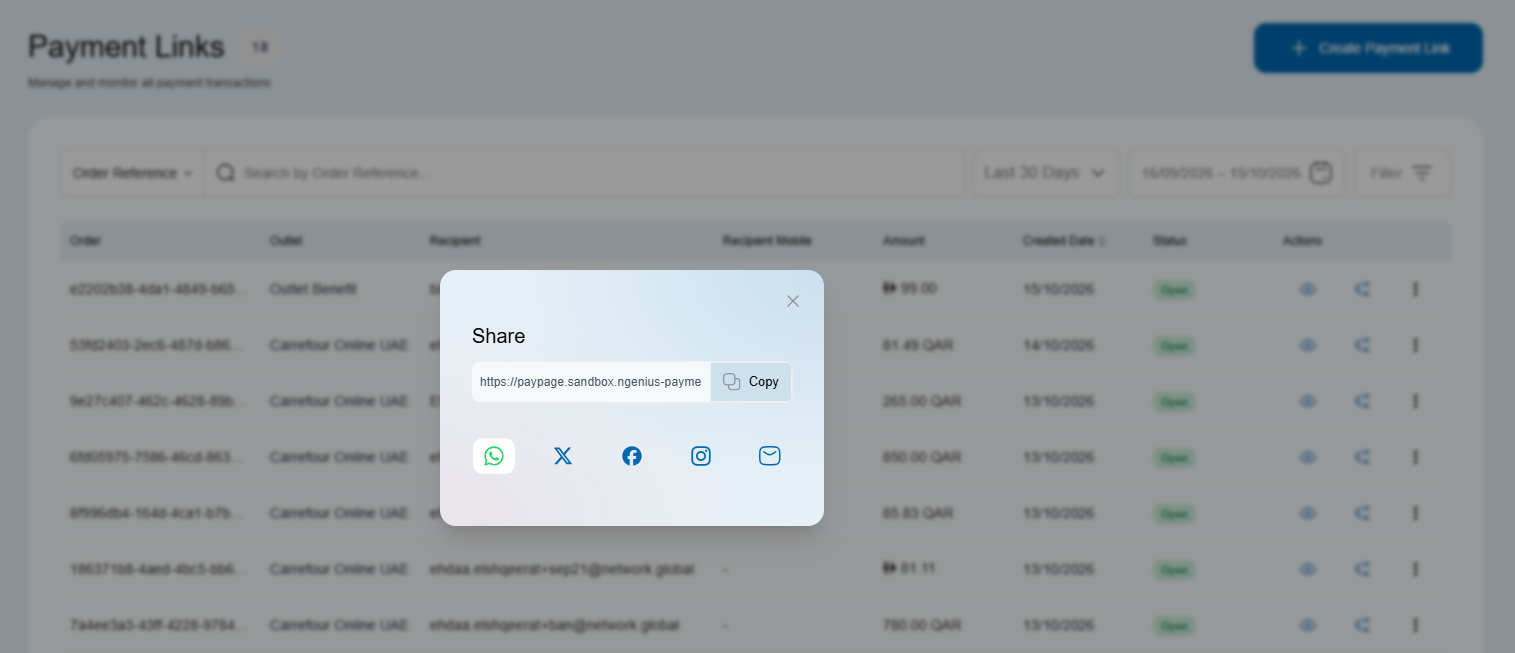
Copy an existing payment link or share it with your customer through WhatsApp, X (Twitter), Instagram, Facebook or email from the Merchant Portal.
## Before you start
[Create a payment link](./create-new-pay-by-link) if you do not already have one to share.
## Share an existing link
1. Sign in to the Merchant Portal and open **Payments → Payment Link**.
2. Find the link on the **Payment Links** page. For help finding a link and opening its details, read [Manage Payment Links](./manage-payment-links).
3. Click the sharing icon shown below to open the sharing pop-up.
4. Choose **Copy link**, **WhatsApp**, **X (Twitter)**, **Instagram**, **Facebook** or **Email**.
5. If you copied the link, paste it into your message. Otherwise, review the sharing screen for your selected channel. Check the link, recipient and message before sending it to your customer.
***
## Tips for effective sharing
* **Context matters:** Add a short line with **order reference**, **amount**, and **expiry** so customers know what they’re paying for.
* **Use DMs for one-to-one links:** For single-customer invoices, prefer private messages (e.g., WhatsApp, Instagram DM).
* **Public posts:** For a public, reusable link for multiple payers, read [OneLink](./onelink-1) instead of posting a one-off invoice link.
* **Link previews:** Some platforms show a preview. Review your logo and branding in [Configuration](./configuration-1).
* **Clipboard:** If you copy the link, double-check it isn’t truncated when pasting into apps with character limits.
## Security & compliance
* Never request card details in chat or comments; customers enter card data **only** on the hosted payment page.
* Set sensible **link expiries** and avoid posting one-off links publicly.
* For resend guidance, read [Manage Payment Links](./manage-payment-links).
***
### Related
* [Create a payment link](./create-new-pay-by-link)
* [Manage payment links](./manage-payment-links)
* [OneLink (reusable link)](./onelink-1)
* [Pay by Link via SMS](./pay-by-link-via-sms)
* [Invoicing via API](../reference/invoicing-via-api) for Developers