

Generate a service account API key and find your outlet reference to prepare your integration with the N-Genius Online payment APIs.
If you manage the Merchant account, complete these steps or share them with your developer.
Your service account API key
- Log in to the N-Genius Online portal.
- Navigate to Settings > Integration > Service Accounts and select Add.
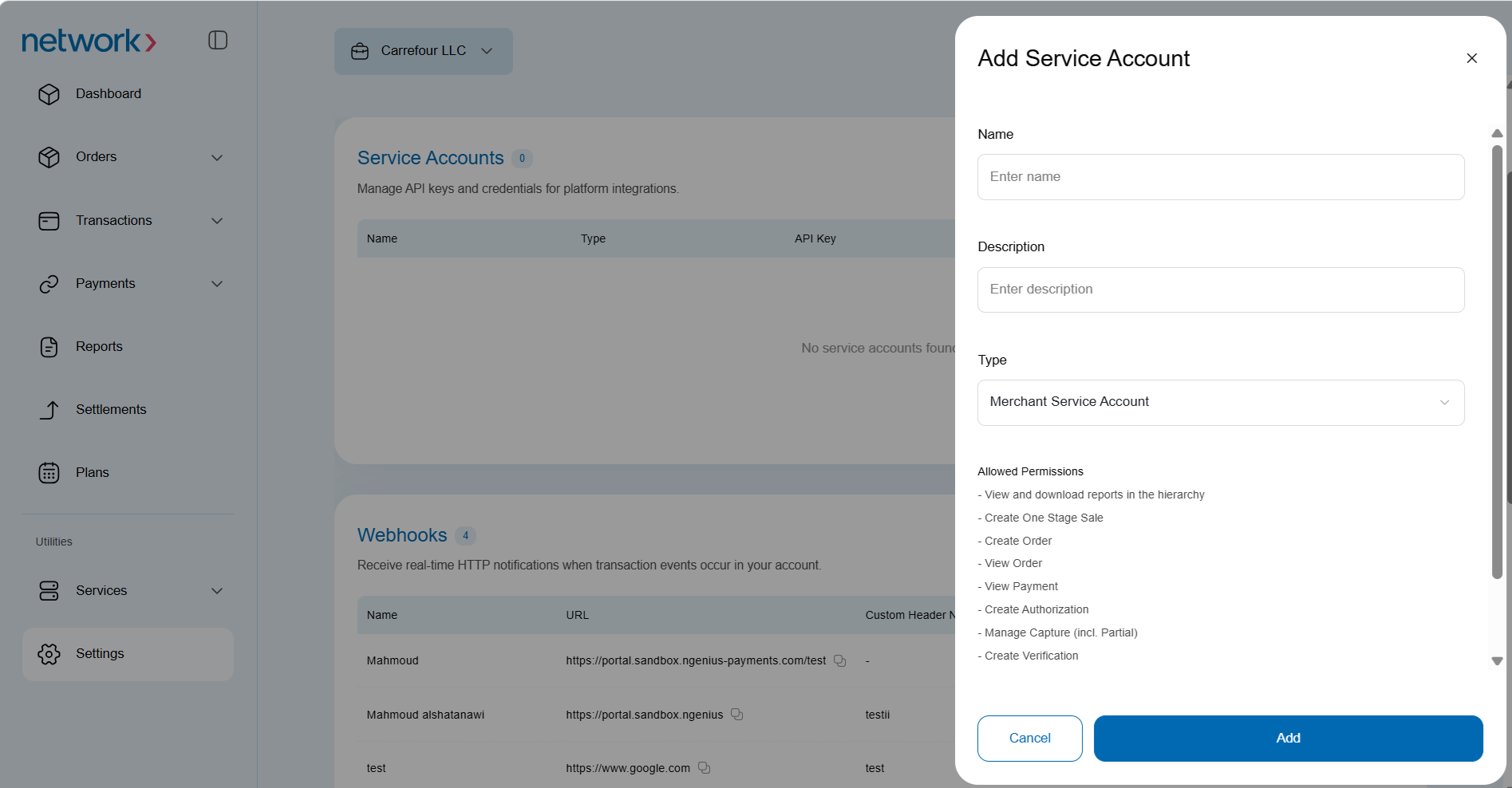
Enter the following details:
- Name: Enter a short, memorable name for your API key.
- Description: Describe how you will use the key to distinguish it from other keys.
- Type: Select a merchant service account or a hosted session service account.
Outlet reference
After creating your service account API key, find the reference for your trading outlet:
-
Navigate to Settings > Organizational Hierarchy.
-
Select your outlet from the left-hand panel.Outlets are denoted by the following icon:

-
Record the outlet reference displayed in the right-hand panel.

Keep your API key secure and retain your outlet reference. Use both values when following the integration guides for your N-Genius Online account.