

This guide outlines the direct API integration process for enabling AANI as a payment method on the N-Genius Online Gateway.
Use this endpoint to initiate and track payments made via Aani, enabling customers to approve payments directly from their mobile banking app. Detailed steps and code samples are provided to ensure a seamless implementation.
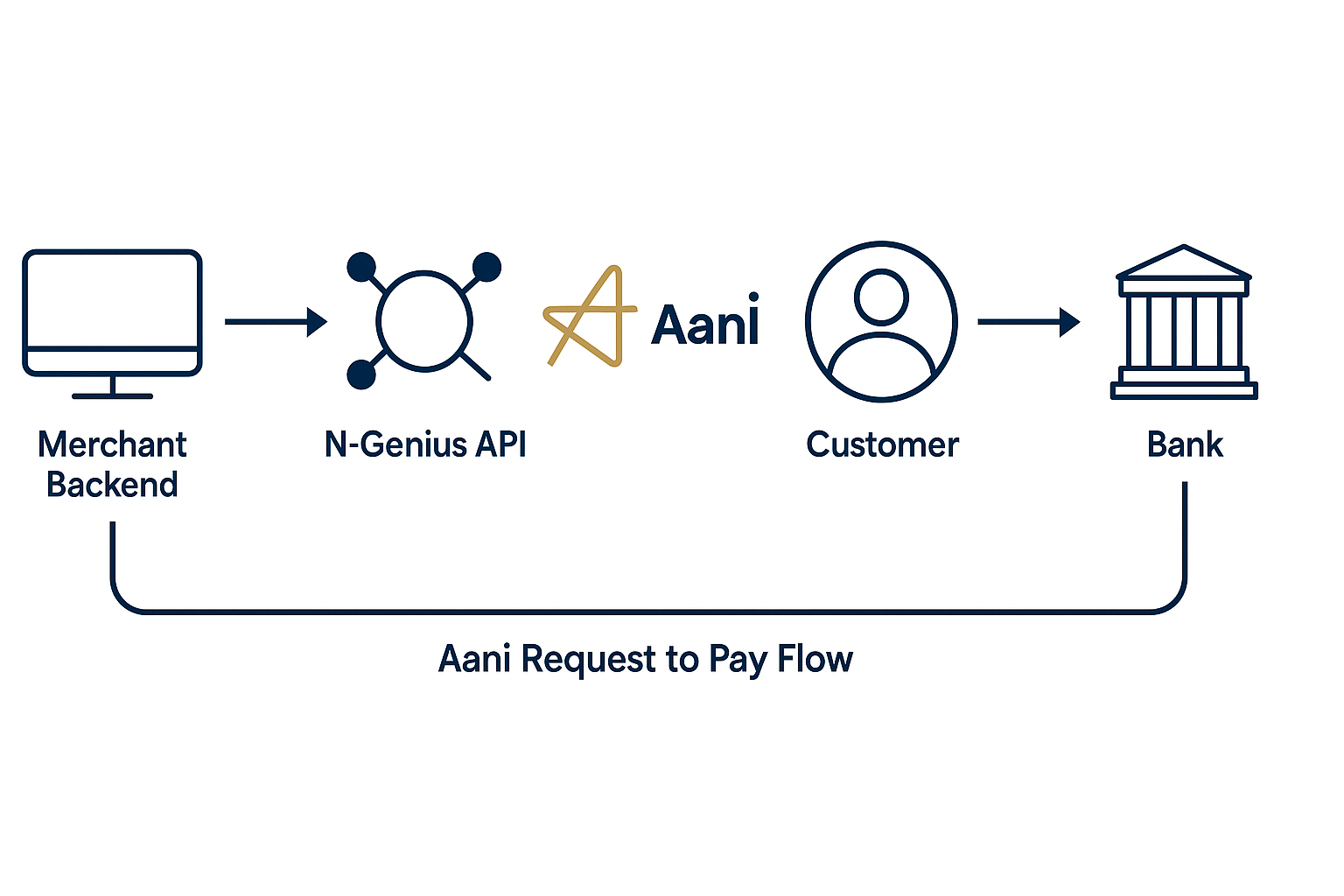
Endpoint Overview
Initiate AANI Payment
POST https://api-gateway.sandbox.ngenius-payments.com/transactions/outlets/{outletRef}/orders/{orderRef}/payments/{paymentRef}/aani
Headers:
Authorization: Bearer{{token}}Content-Type:application/vnd.ni-payment.v2+jsonAccept:application/vnd.ni-payment.v2+json
Sample Request Payload
{
  "aliasType": "MOBILE_NUMBER",
  "mobileNumber": {
    "countryCode": "+971",
    "number": "569822832"
  },
  "emiratesId": "784 1234 1234567 1",
  "passportId": "45GY45GVX",
  "emailId": "[email protected]",
  "source": "MOBILE_APP",
  "backLink": "facebook://paypage.ngenius-payments.com/?code=2891yekjnad",
  "payerIp": "188.164.195.16"
}
Notes:
aliasTypecan be one of:MOBILE_NUMBER,EMAIL,EMIRATES_ID,PASSPORT_ID- Based on
aliasType, only the corresponding field is required (e.g., ifaliasTypeisEMAIL, onlyemailIdis needed). sourceis optional. If omitted, it defaults toWEB_BROWSER.backLinkis required ifsourceisMOBILE_BROWSERorMOBILE_APP.payerIpis required if the merchant has enabled the Know Your Shopper proposition.
Sample Response
{
  "_id": "urn:payment:d26c6d42-9245-45e0-92d8-feb811f7535b",
  "_links": {
    "cnp:aani-status": {
      "href": "https://api-gateway.sandbox.ngenius-payments.com/transactions/outlets/{outletRef}/orders/{orderRef}/payments/{paymentRef}/aani/status"
    },
    "self": {
      "href": "https://api-gateway.sandbox.ngenius-payments.com/transactions/outlets/{outletRef}/orders/{orderRef}/payments/{paymentRef}"
    }
  },
  "reference": "d26c6d42-9245-45e0-92d8-feb811f7535b",
  "paymentMethod": {
    "name": "AANI",
    "paymentAccountDetail": {
      "mobileNumber": "+971-569822832"
    }
  },
  "state": "PENDING",
  "amount": {
    "currencyCode": "AED",
    "value": 17000
  },
  "updateDateTime": "2024-10-29T08:40:47.197Z",
  "outletId": "{outletRef}",
  "orderReference": "{orderRef}",
  "aani": {}
}
Polling for Payment Status
Endpoint:
GET https://api-gateway.sandbox.ngenius-payments.com/transactions/outlets/{outletRef}/orders/{orderRef}/payments/{paymentRef}/aani/status
Headers:
Authorization: Bearer{{token}}
Polling Strategy:
Poll this endpoint every 6 seconds while the state is PENDING. Stop polling when the state changes to one of the following:
| State | Meaning |
|---|---|
CAPTURED | Payment approved and captured successfully. |
PURCHASED | Payment approved and processed. |
FAILED | Payment declined or expired. |
Sample Status Response
{
  "_id": "urn:payment:d26c6d42-9245-45e0-92d8-feb811f7535b",
  "state": "CAPTURED",
  "amount": {
    "currencyCode": "AED",
    "value": 17000
  },
  "updateDateTime": "2024-10-29T08:40:53.608Z",
  "authResponse": {
    "success": true,
    "mid": "5708129739"
  },
  "_embedded": {
    "cnp:capture": [
      {
        "amount": {
          "currencyCode": "AED",
          "value": 17000
        },
        "state": "SUCCESS"
      }
    ]
  }
}
For the end-user flow and visuals, see Pay with Aani.