

AANI
Instant Payments Now Available on N-Genius Online
Pay with Aani
Review how your customers in the UAE pay directly from their bank account with Aani — no cards required. Customers select Aani at checkout and enter their registered mobile number or another identification method. They then open the Aani app to approve the payment.
Merchant: Use this flow to understand your customers’ checkout experience. Developer: Use this flow alongside the Aani Integration Guide when integrating Aani.
How it Works
The customer starts the payment on your website and approves it in their Aani app. After confirmation, the checkout flow returns the customer to your website.
Review each step and its visual example to understand the payment flow.
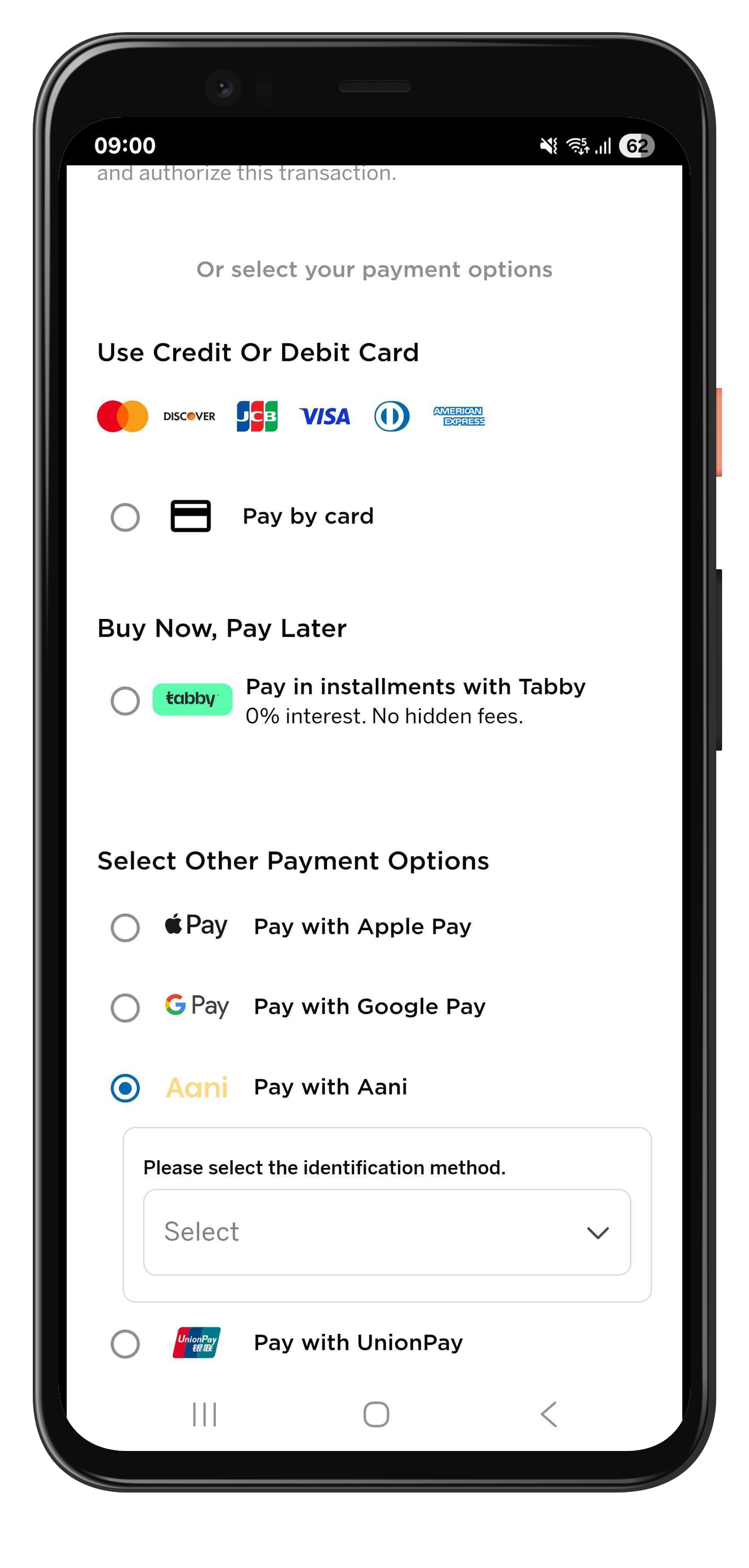
Step 1: Choose Aani at Checkout
Customers begin by navigating to the “Other Payment Options” section on the checkout page.
- The customer selects Pay with Aani.
- The checkout page prompts the customer to choose an identification method (e.g., phone number, alias, or Aani ID).
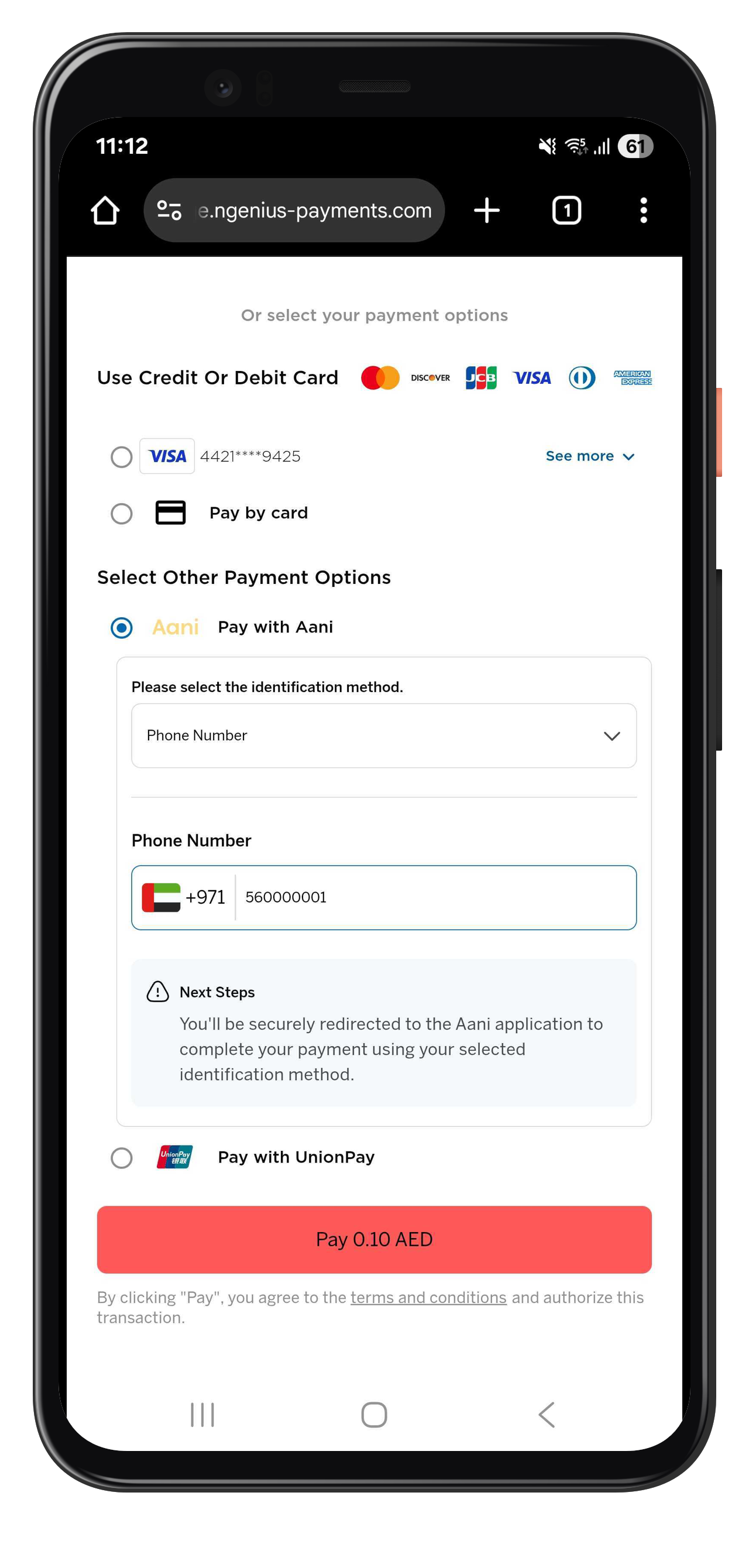
Step 2: Enter Identification Details
After selecting Aani, the customer enters their registered mobile number linked to their Aani account.
- Example format:
+971 5XXXXXXXX - The page informs the customer that the Aani app will open to confirm the transaction.
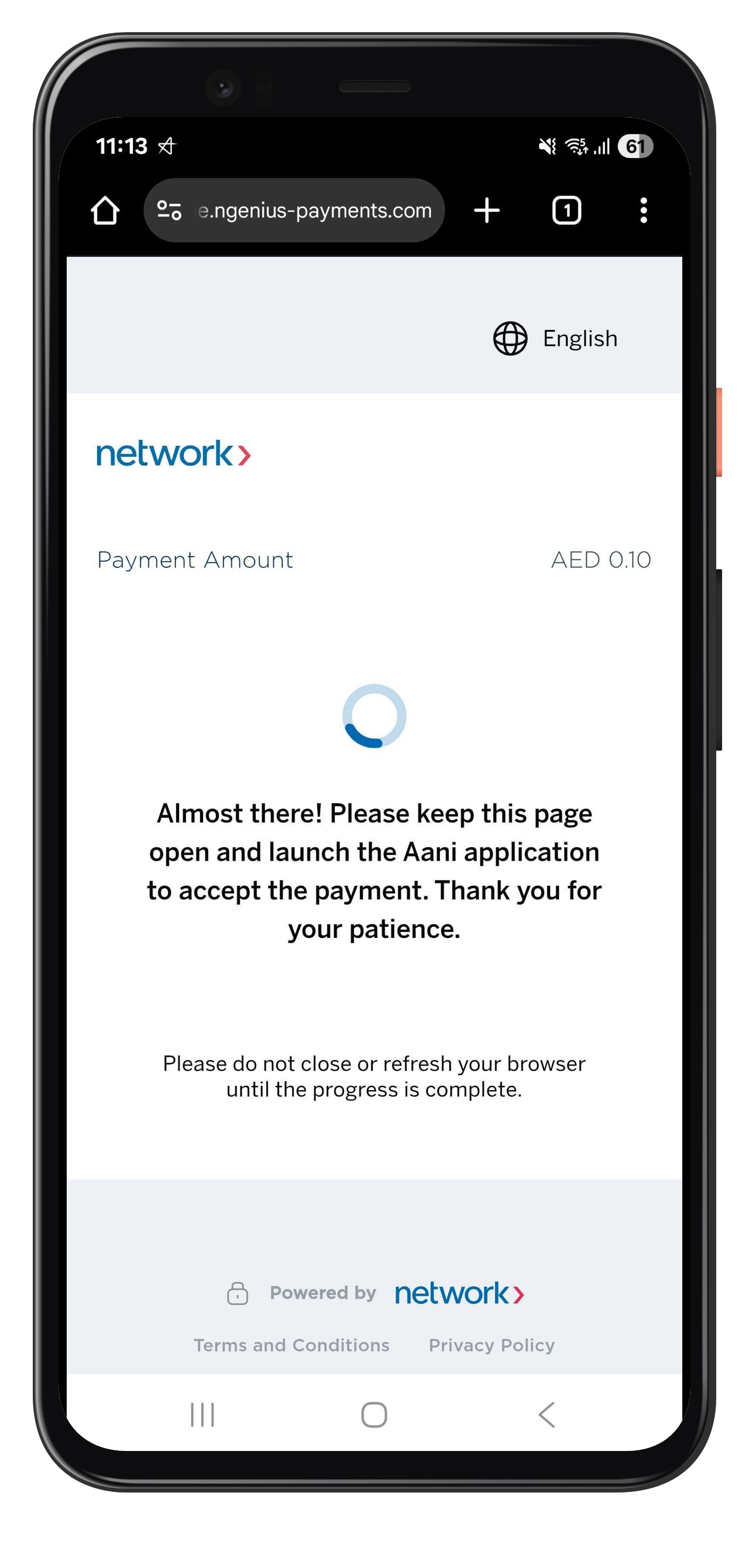
Step 3: Redirect to the Aani App
Once the customer taps Pay, the checkout page displays a waiting screen while it connects to the Aani app.
- The screen displays:
“Almost there! Please keep this page open and launch the Aani application to accept the payment.” - The customer must switch to their Aani mobile app to approve the transaction.
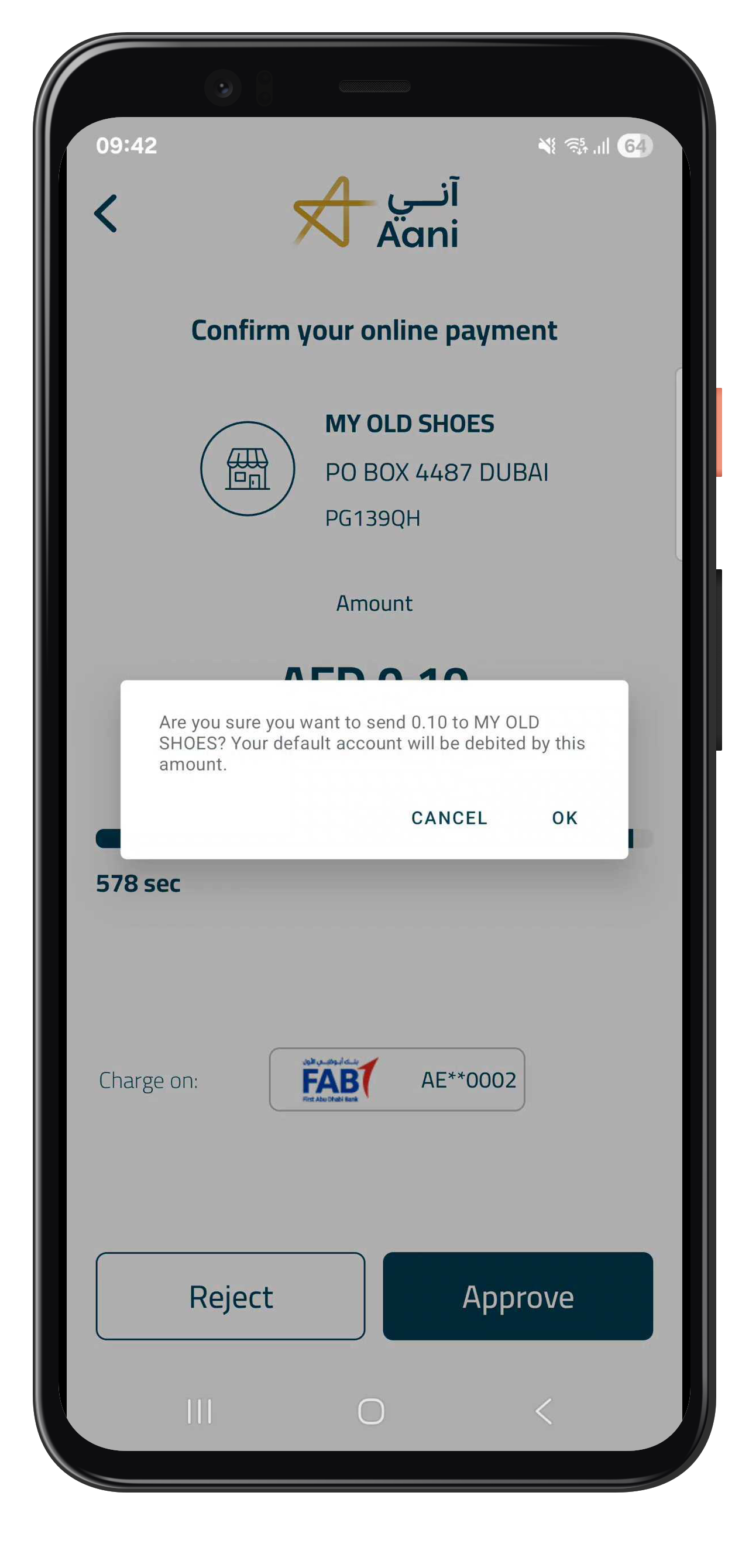
Step 4: Approve the Payment in Aani
Inside the Aani app, the customer reviews the payment request details.
- The app displays the merchant’s name and address.
- The app shows the payment amount (e.g., AED 0.10, equivalent to 10 fils, the ISO currency minor unit for AED).
- The customer confirms by tapping Approve.
- The app displays the connected bank account (e.g., FAB AE**0002).
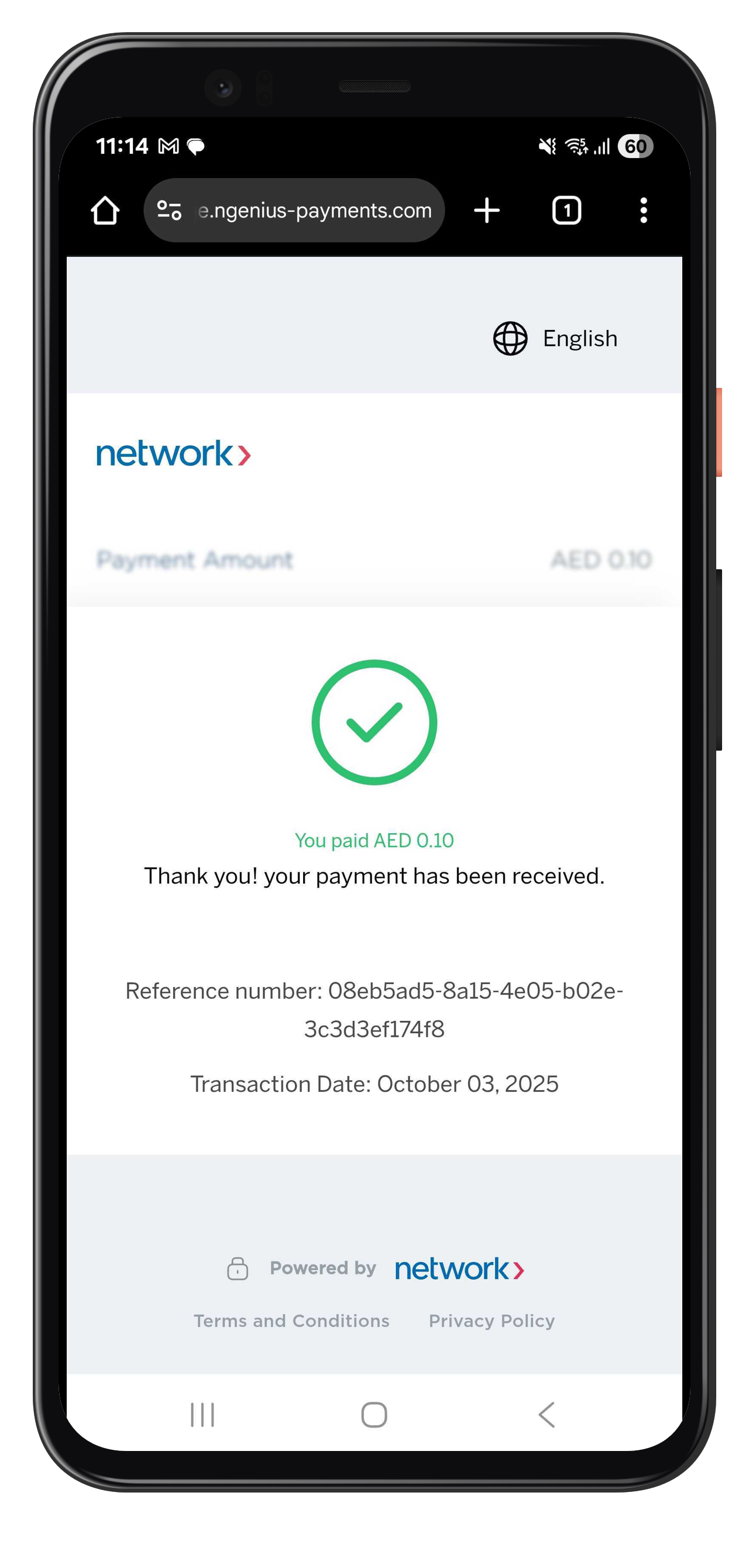
Step 5: Payment Confirmation
Once the customer approves the payment in the Aani app, the checkout flow returns them to your website and displays a success message.
- The confirmation message includes:
- Payment amount
- Reference number
- Transaction date
- A green checkmark confirms payment success.
Notes
- Customers must have the Aani app installed or have Aani linked to their UAE bank account.
- The phone number or alias entered during checkout must match the one registered with Aani.
- Aani processes the payment instantly and confirms it in real time.
- Participating UAE banks support Aani for instant account-to-account transfers.
Related Topics
Updated 10 days ago