

Capture and Void
The Shopify Capture and Void functionality gives merchants greater control over when payments are processed—particularly helpful when managing high-value, pre-orders, or custom products.
Merchants using the Authorise transaction type can first verify stock or shipping, then Capture or Void the payment from within the Shopify Dashboard.
Go to Settings >> Payments, then scroll down to the captured payment method.
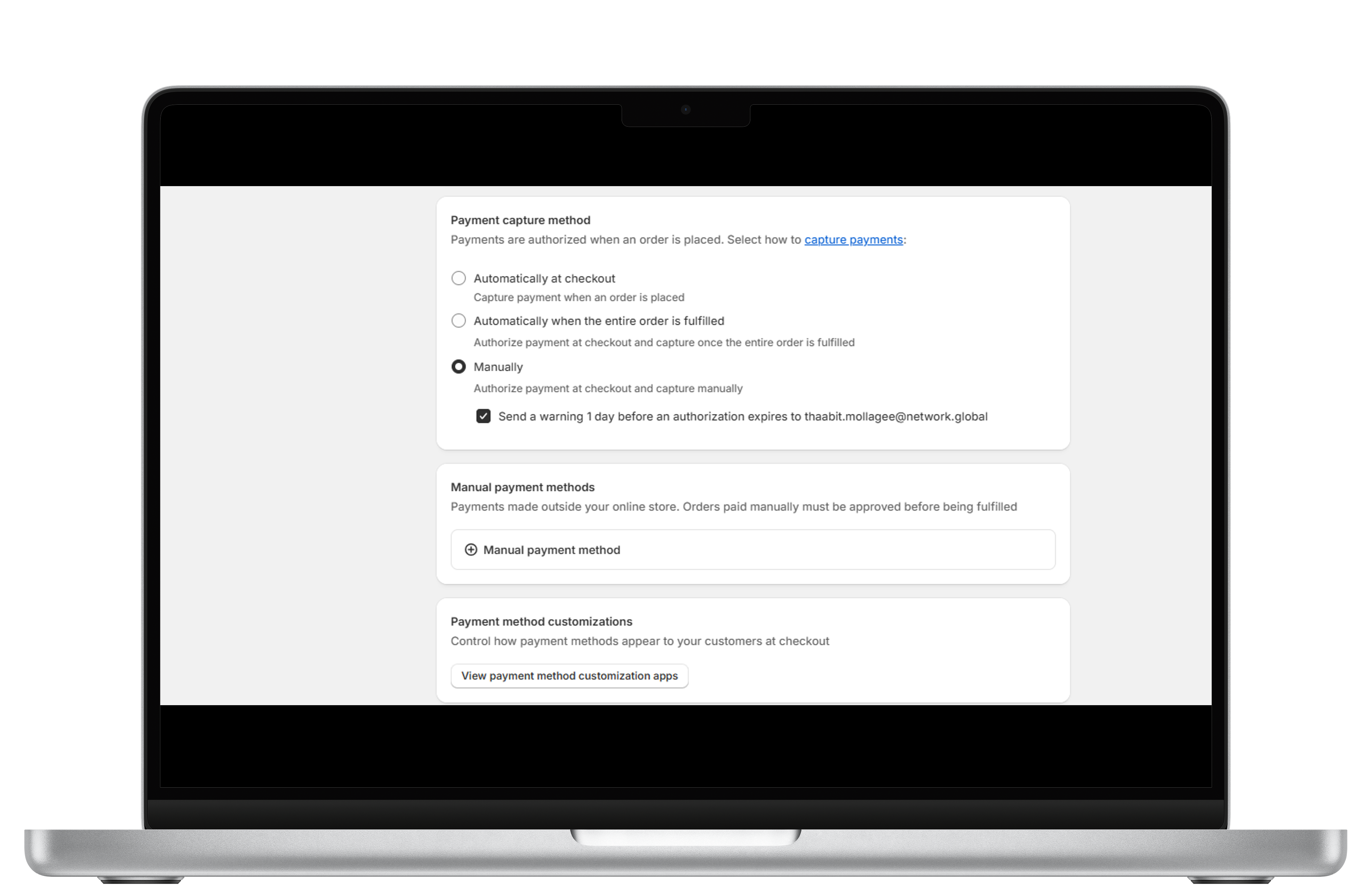
Capture Payments Manually
Capture a Transaction
Merchants can capture a full or partial amount after verifying the order. Here’s how:
Navigate to Orders in Shopify and select the relevant order.
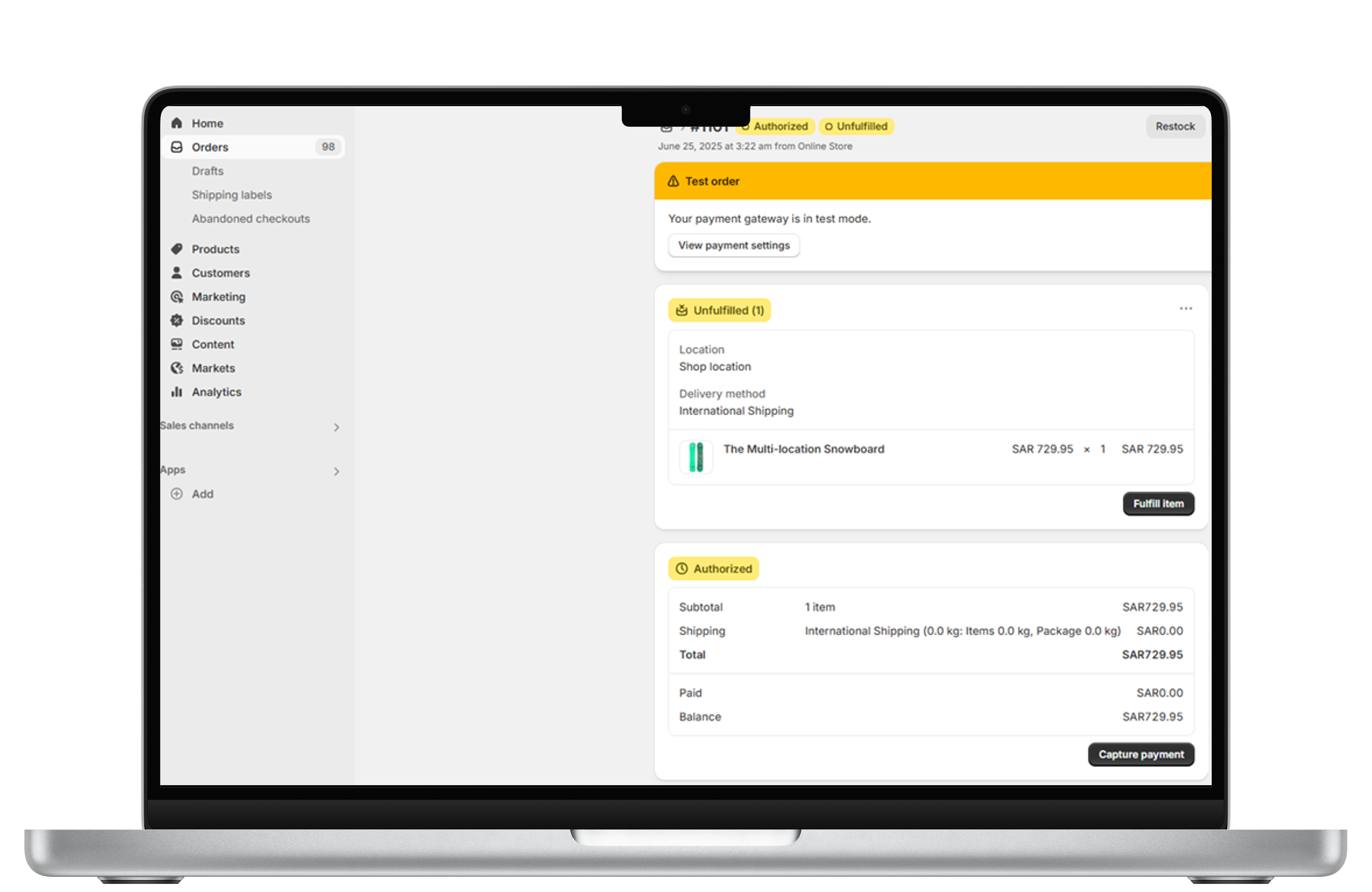
Navigate to Orders
Click Capture payment under the Authorised section.
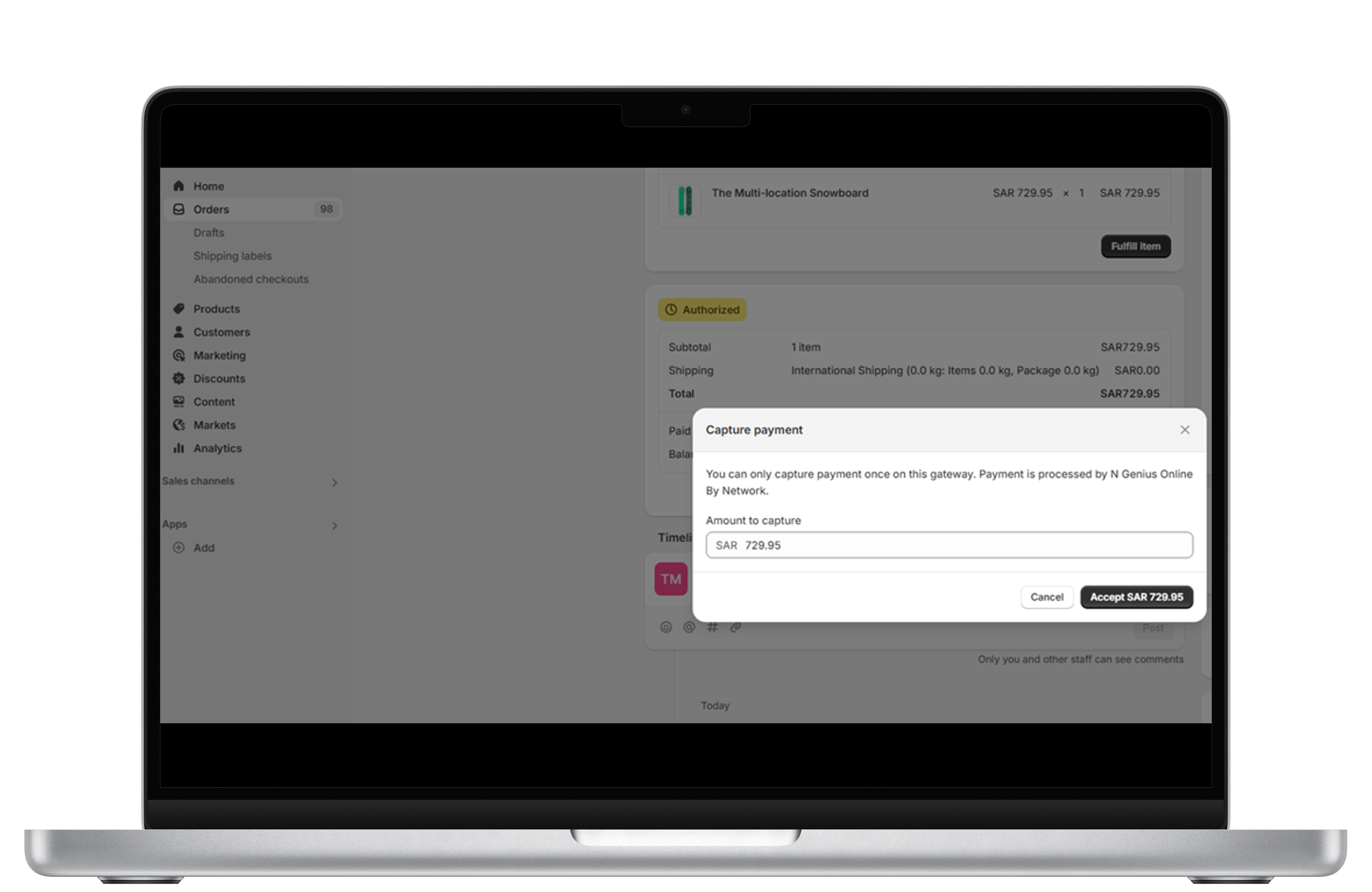
Click Capture Payment
Full Capture
Captures the full transaction value.
🟢 Order status updates to Paid.
Partial Capture
Captures only part of the authorized amount.
🟡 Order status updates to Partially Paid.
If additional items become available later, the merchant can send an invoice to re-authorise and capture the remaining amount.
Void a Transaction
To cancel an authorised transaction before it’s captured:
- Go to the order, click More Actions → Cancel Order.
- Select a reason, restock preferences, and whether to notify the customer. Click Cancel Order to void the transaction.
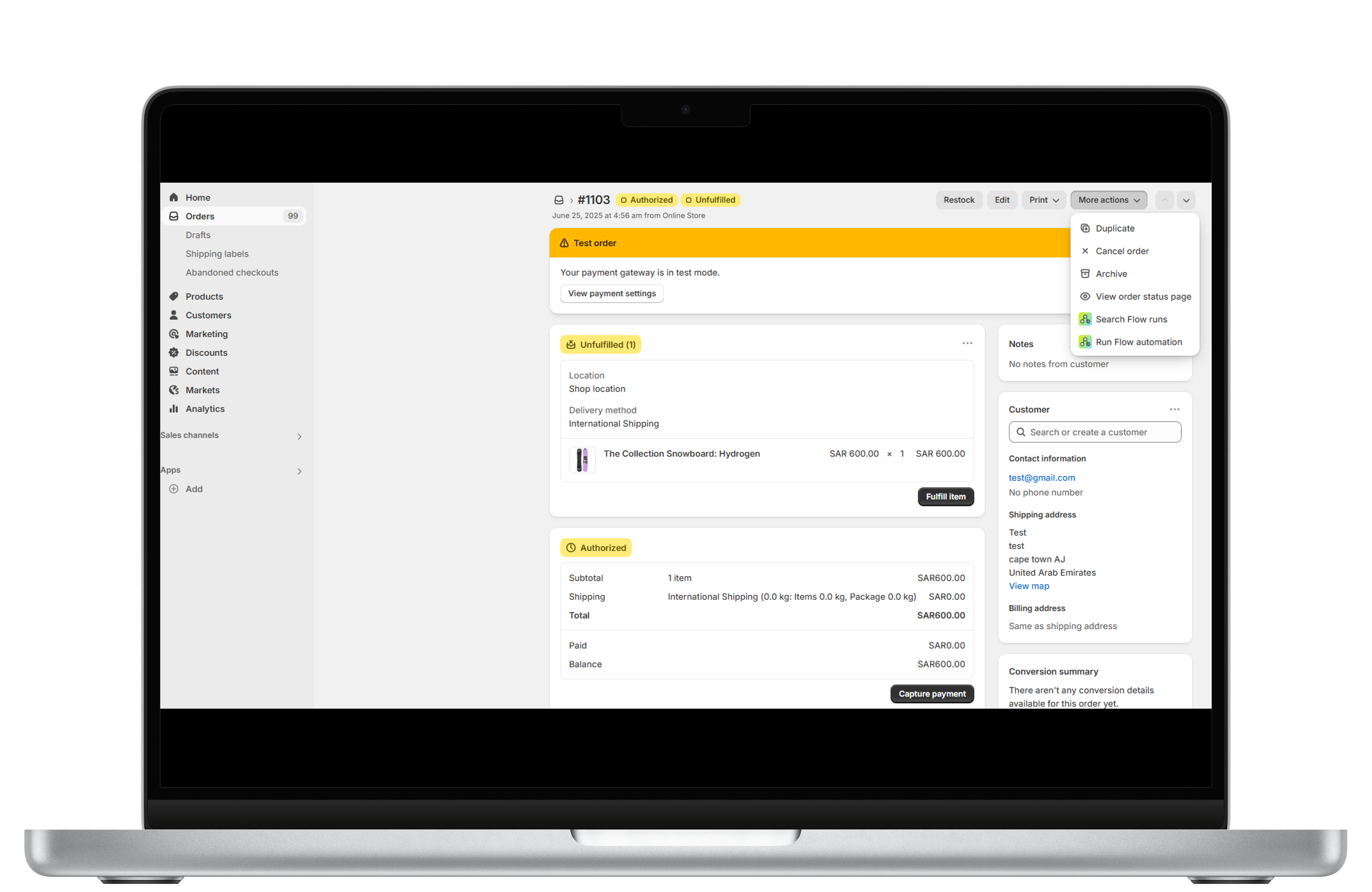
Cancel Order
🟥 Order status updates to Voided.
Updated about 2 months ago