

Pay by Link
Send a secure payment link to your customer via email, SMS, WhatsApp, or social—no checkout page required. Perfect for quotes, invoices, and quick one-off payments.
Request payment from your customer by sending or sharing a link to a hosted payment page.
For your first link, configure Pay by Link, then create and send a payment link. After sending it, track or resend the link. For other Portal tasks, open the Merchant Portal task guide.
How it works›
End-to-end journey and key screens
Create & send›
Generate a link in the portal and share it
Track & manage›
View details, filter, search and resend links
Configuration›
Branding, sender, expiry, T&Cs, reattempts
Email templates›
Reusable subject/body with smart tags
Share a payment link›
Copy or share to WhatsApp, X, Instagram, FB
OneLink›
Single reusable link (fixed or variable amount)
Pay by Link via SMS›
Send links by text for mobile-first checkout
Why merchants love Pay by Link
- Start fast: No development needed—share a link and get paid.
- Omnichannel: Email, SMS, or social.
- Personalised: Add customer/order details to boost trust.
- Secure & compliant: Hosted, bank-grade payment pages.
flowchart LR
  A["Create a payment link in the Portal"] --> B["Send the link to the customer"]
  B --> C["Customer opens the hosted page and pays"]
  C --> D["Check the payment status in the Portal"]
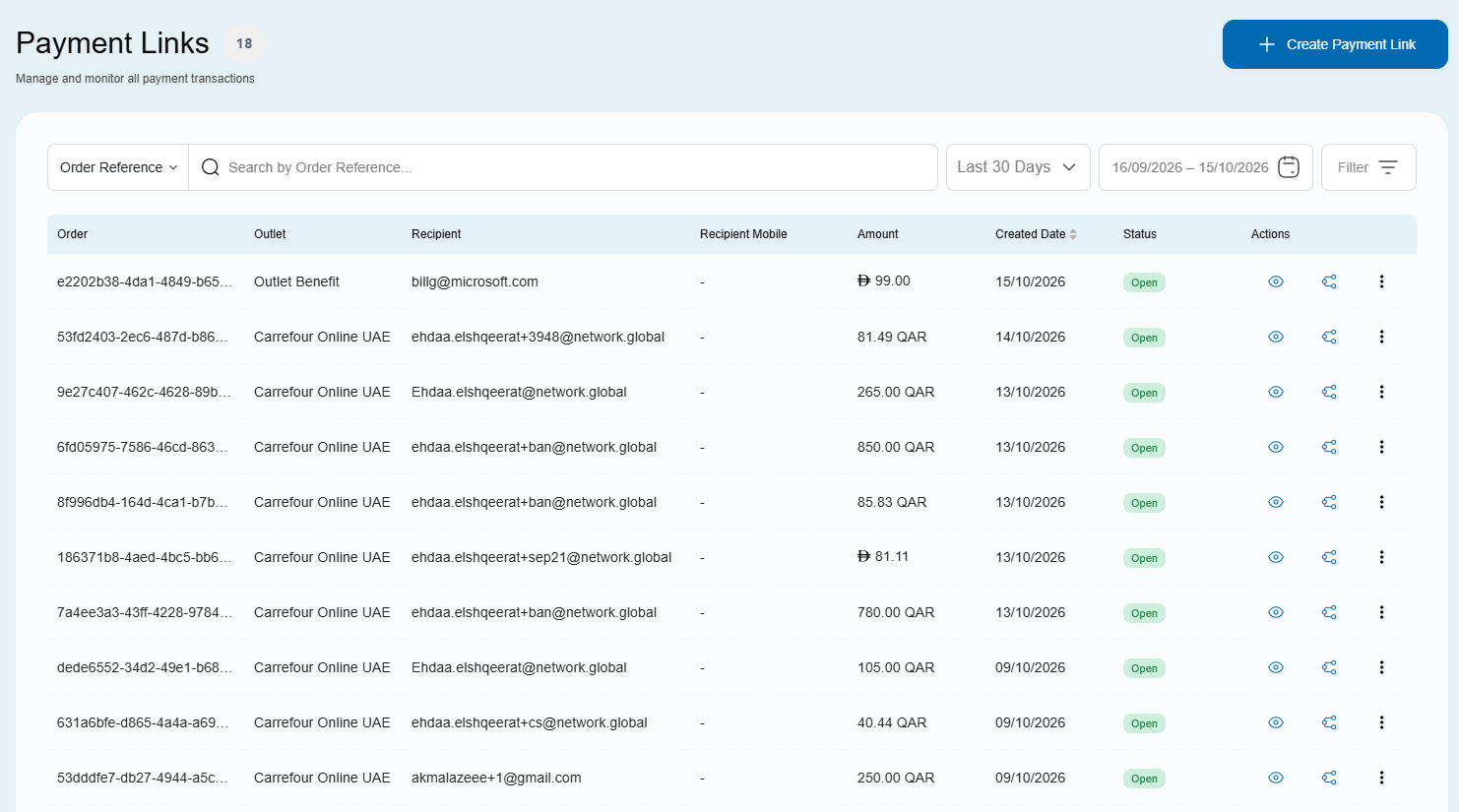
On the portal you have a complete overview of all payment links and their statuses.
Prefer to automate?
Developers can create, send, and track links via API. See Invoicing via API.
Updated 13 days ago
Did this page help you?