

Return an online order in store
Take back goods a customer bought online, and put the money back on the card that paid for them.
A customer who bought from you online can bring the goods back to your shop. The terminal looks up the original order, and the money goes back to the card that paid. Network International calls this journey BORIS (for Buy Online, Return In Store).
Find the order first: see Unified Commerce for the reference the customer brings and how to look it up.
What the terminal offers depends on the dayOn the day of the purchase, the sale has not settled yet, so it is reversed in full. There is no partial option and no amount to enter.
From the next day onward, the sale has settled, so the money goes back as a refund, and it can be a full or a partial one.
The terminal works this out for you. You will see either one button or two.
On the day of the purchase
The terminal offers a single action and reverses the whole sale.
-
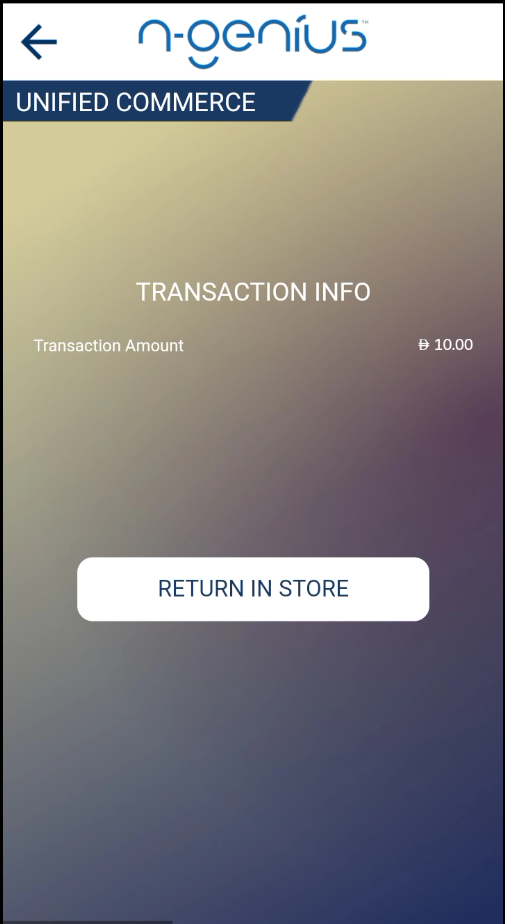
The terminal shows TRANSACTION INFO with the Transaction Amount, and one button: RETURN IN STORE.
-
Check the amount with the customer, then tap RETURN IN STORE.
-
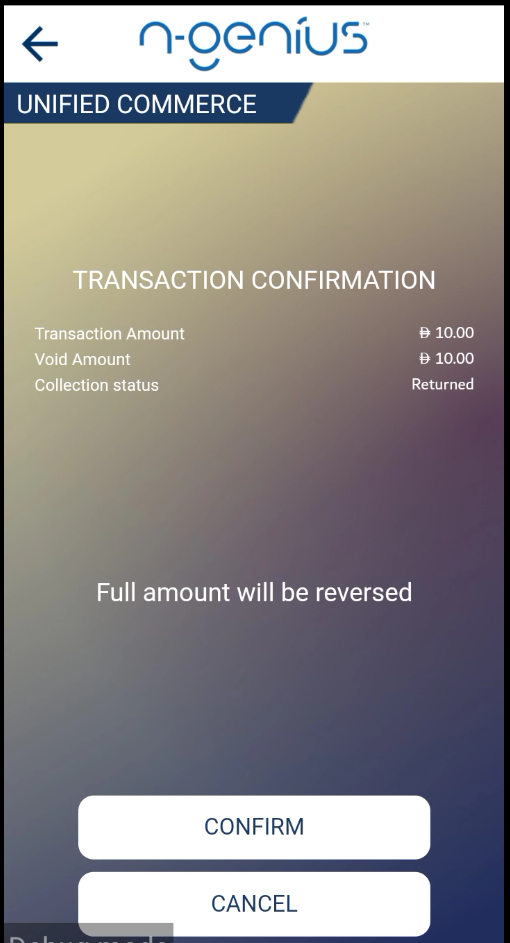
The confirmation screen shows the Transaction Amount, the Void Amount, and the collection status Returned. It states that the full amount will be reversed.
-
Tap CONFIRM, or CANCEL to go back without reversing anything.
-
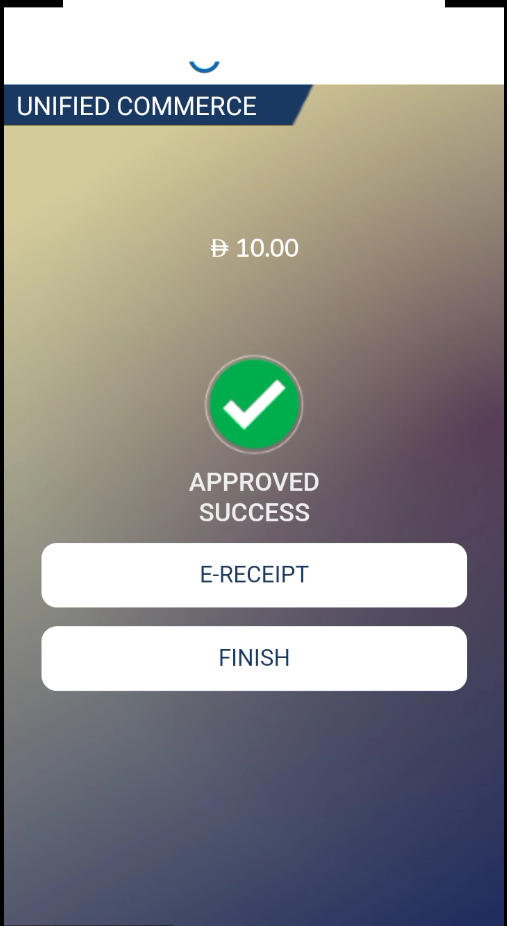
The terminal shows APPROVED SUCCESS. Print the receipt with E-RECEIPT, then tap FINISH.
The Void Amount always equals the Transaction Amount. A same-day return cannot be made for part of the order.
Example. A customer paid AED 10.00 online this morning and brings everything back this afternoon. The terminal offers RETURN IN STORE, the confirmation shows a Void Amount of AED 10.00, and the whole sale is reversed.
From the next day onward
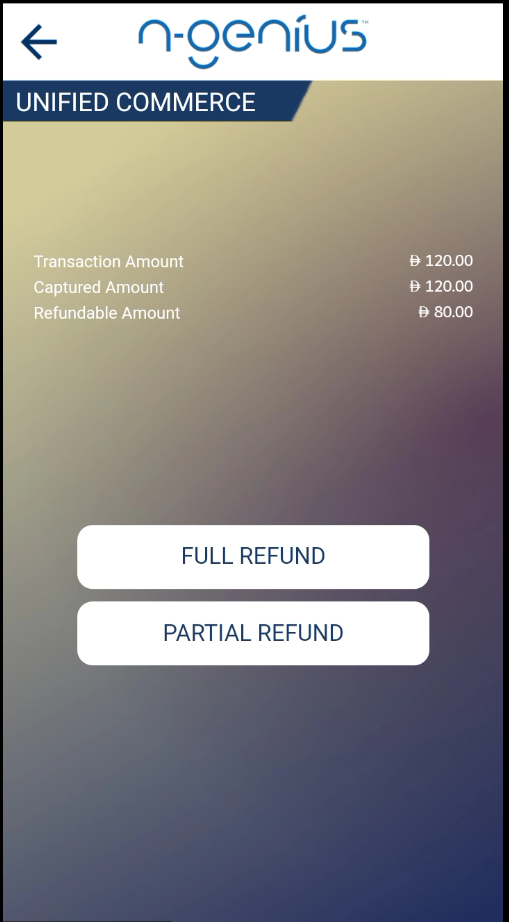
The terminal shows three amounts and two buttons:
| What you see | What it means |
|---|---|
| Transaction Amount | What the customer originally ordered. |
| Captured Amount | What has actually been taken from their card. |
| Refundable Amount | The most that can still be given back. |
A full refund returns the Refundable Amount, not the Transaction AmountThe three figures are often the same, but not always. If part of the order has already been refunded, the Refundable Amount is lower, and FULL REFUND returns that lower figure. Read the Refundable Amount off the screen before you tell the customer what they are getting back.
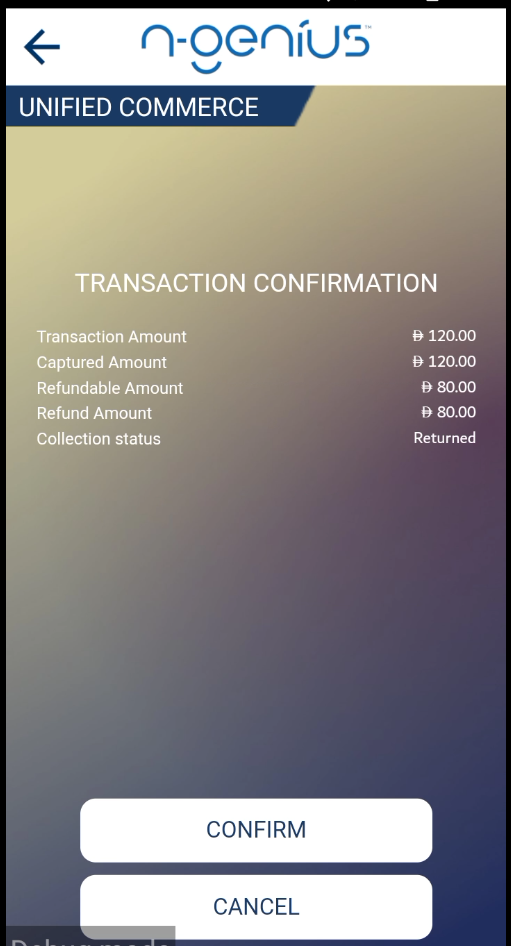
Example. An order of AED 120.00 was captured in full, and AED 40.00 has already been refunded. The terminal shows a Transaction Amount of AED 120.00, a Captured Amount of AED 120.00 and a Refundable Amount of AED 80.00. FULL REFUND returns AED 80.00.
Refund the whole remaining amount
-
Tap FULL REFUND.
-
The confirmation screen shows the Refund Amount, already filled in at the Refundable Amount, and the collection status Returned.
-
Tap CONFIRM.
-
The terminal shows APPROVED SUCCESS. Print the receipt, then tap FINISH.
Refund part of the order
A partial refund asks for two things: how much money goes back, and how much of the order came back.
-
Tap PARTIAL REFUND.
-
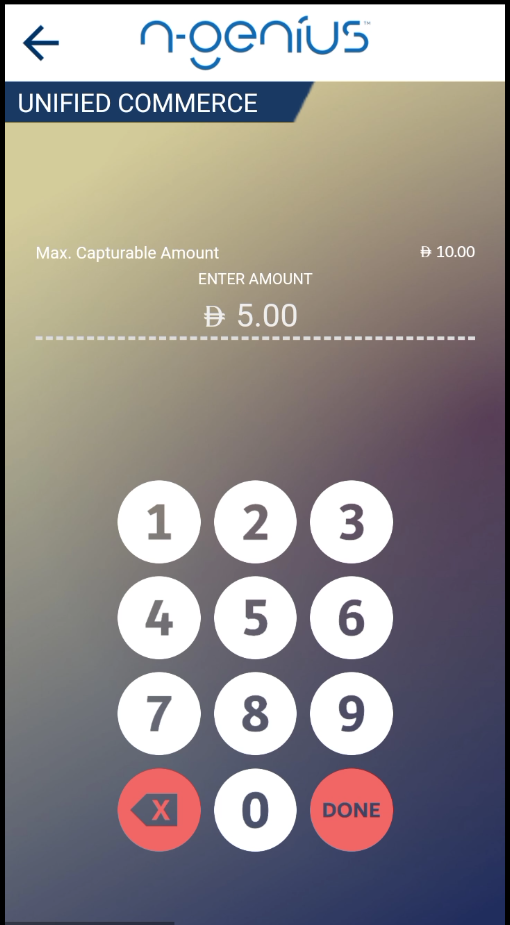
The terminal shows Max. Refundable Amount and a keypad. Key in the amount being refunded and tap DONE.
-
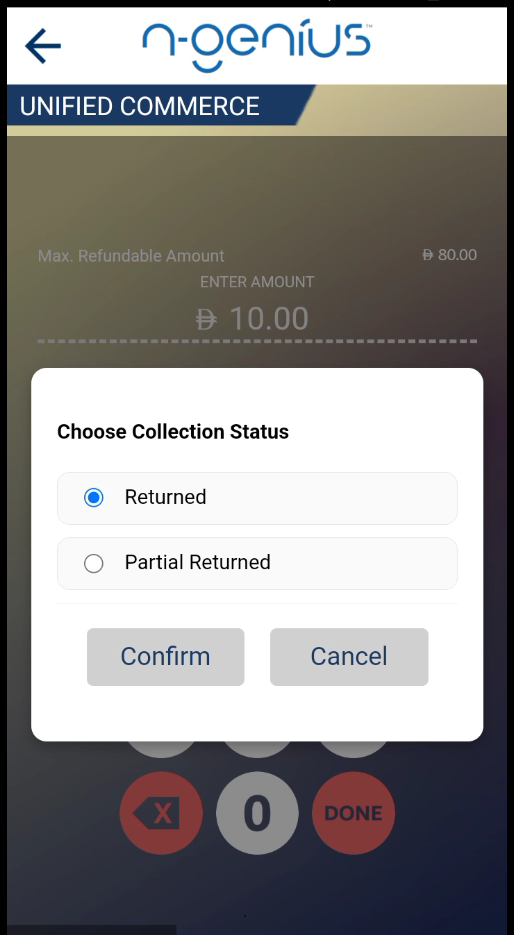
Choose the collection status: Returned if the customer brought everything back, Partial Returned if only some of it came back. Tap Confirm.
-
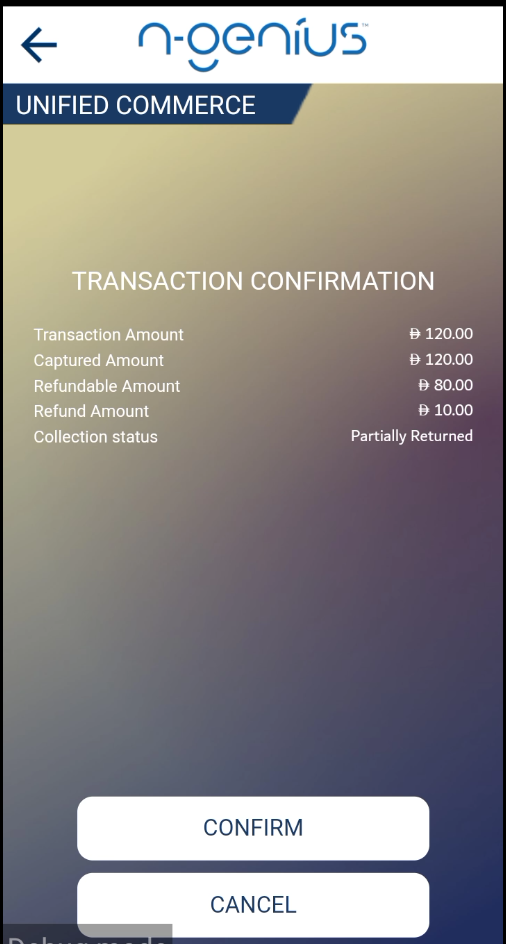
Check the confirmation screen. The Refund Amount is what you keyed in, and the collection status is what you chose.
-
Tap CONFIRM.
-
The terminal shows APPROVED SUCCESS. Print the receipt, then tap FINISH.
You cannot refund more than the Refundable Amount. The keypad is capped at the figure shown above it.
Collection status
The collection status records how much of the order came back, separately from how much money was returned. The two can differ: a customer might return everything and still be refunded only part of the price.
| Status | Use it when |
|---|---|
| Returned | The whole order came back. |
| Partial Returned | Only part of the order came back. |
A same-day reversal always records Returned.
Receipts and what the customer sees
The terminal prints a receipt for your records once the return is approved. The customer at the counter can also be presented with the receipt.
Finding the return afterwards
Returns are recorded against the original order and can be found in your reporting by the same Unique Order Reference. A same-day reversal appears as a void, and a later return as a refund.
If something goes wrong
| What you see | What it means | What to do |
|---|---|---|
| The terminal will not accept the reference | The customer has given the long order number instead of the short code | Ask for the code in the XXXX-XXXX format. See Unified Commerce. |
| Only RETURN IN STORE is offered, but the customer wants part of the order refunded | The sale has not settled yet, so only a full reversal is possible | This type of return is not yet supported. |
| The Refundable Amount is lower than the customer expects | Part of the order has already been refunded | Read the three amounts back to the customer. |
| There is no Unified Commerce tile on the terminal | Unified Commerce is not switched on for your estate | Speak to your Network International account team. |
Updated about 2 hours ago