

This guide explains how Slice Instalment Payments (Easy Payment Plan - EPP) works when integrated through the N-Genius Online Hosted Session checkout experience.
Hosted Session merchants can offer eligible customers installment payment options directly within the hosted checkout flow without requiring a separate customer journey.
How It Works
When a customer enters their card details in the Hosted Session checkout, N-Genius Online automatically evaluates whether the transaction qualifies for Slice instalment payments.
If the transaction is eligible:
- Available instalment plans are displayed directly within the checkout experience
- The customer can select a preferred plan or continue with a standard card payment
No additional integration or redirects are required — Slice is fully embedded within the Hosted Session flow.
Hosted Session Payment Flow

Eligibility Requirements
Slice is displayed only when all eligibility conditions are met.
Transaction Type
Supported:
- Purchase
Not Supported:
- Sale
- Authorization-only transactions
- Capture transactions
- Device payment transactions
Currency
Supported:
- AED
All other currencies are currently ineligible.
Transaction Threshold
The transaction amount must meet or exceed the configured Slice threshold.
Card Eligibility
The card must be eligible for Slice instalment payments.
Card eligibility is automatically validated during checkout using BIN validation.
Issuer Validation
Additional issuer-side validation is performed before instalment plans are displayed.
Customer Experience
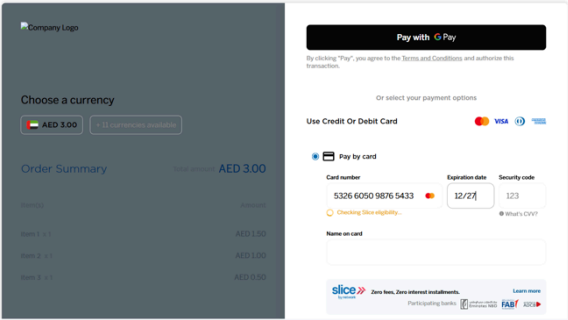
Step 1 – Card Entry
The customer enters card details within the Hosted Session checkout.
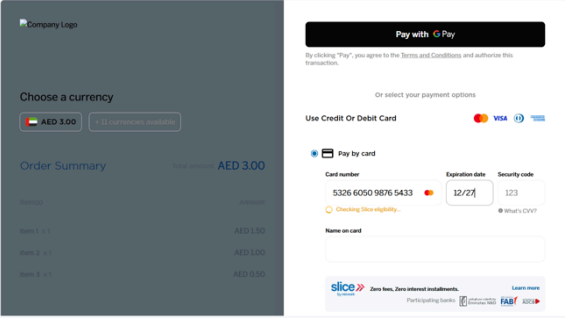
Step 2 – Eligibility Validation
N-Genius Online validates:
- Transaction type
- Currency
- Transaction amount
- Card BIN eligibility
- Issuer eligibility
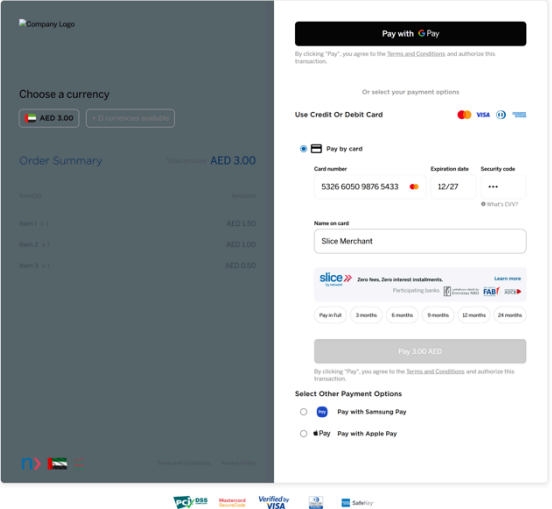
Step 3 – Instalment Plans Displayed
If eligible, available Slice instalment plans are presented within the checkout.
Customers can review and select their preferred plan.
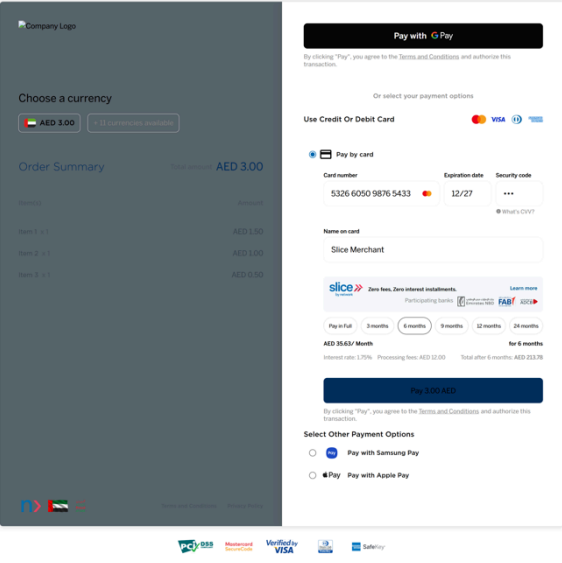
Step 4 – Payment Authorisation
The selected instalment plan is automatically applied.
The transaction proceeds through the standard payment authorisation flow.
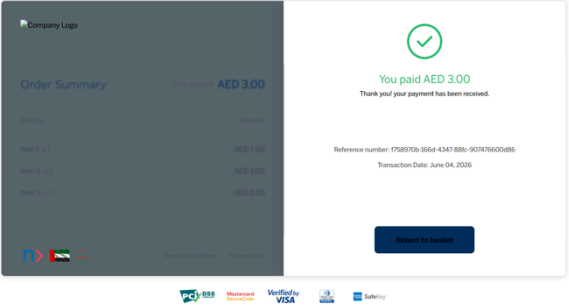
Step 5 – Payment Completion
Once the payment is successfully authorised:
- Payment is completed
- The Slice instalment plan is linked to the transaction
- The customer receives confirmation
Reversal Handling
Supported operations:
- Purchase Reversal
- Void
If a transaction is reversed before settlement:
- The payment is reversed
- The associated Slice instalment plan is cancelled
- The customer is removed from the instalment plan
Reporting
Slice transactions are visible within standard N-Genius Online reporting tools, including:
- Reports
- Order Details
- Order History
- Transaction Listings
Testing
Use Slice test cards to validate:
- Eligibility checks
- Installment plan display
- Successful payment processing
- Reversal scenarios
- Refund scenarios
Refer to:
Slice Test Cards (Coming Soon)
Related Guides
- Slice Overview
- Direct API Integration
- Android SDK Integration
- iOS SDK Integration
- Test Cards